How to Handle Lost Keys in Germany: Key Insurance Explained
It is one of the most chilling sounds an expat or resident in Germany can hear: the hollow clatter of a keychain dropping through a storm drain, or...
Read more
This article was written by AI and published by Bretzi.
AI can get things wrong. For anything official, check the source it points to.
AI-generated image
If you have recently moved to Germany, few things will test your patience quite like your first missed package. You wait at home all morning, only to check your mailbox downstairs and discover a small yellow slip: the dreaded Benachrichtigungskarte. The delivery driver rang once—or perhaps not at all—and now your parcel is sitting at a neighborhood branch with limited opening hours, or worse, with an anonymous neighbor whose door code you do not know.
Mastering Germany's postal system is an essential milestone in settling into daily life. Between strict apartment doorbell rules and complex mail forwarding, navigating delivery logistics can feel overwhelming. Fortunately, Deutsche Post and its logistics arm, DHL, operate an automated locker network known as the Packstation. Setting up a Packstation account frees you from waiting around for couriers, allowing you to pick up and drop off parcels 24 hours a day, 7 days a week.
In this comprehensive guide, we walk you through how the German postal ecosystem operates, the step-by-step process to register for a DHL Packstation in 2026, how to correctly format your shipping addresses, and the essential German postal vocabulary you need to handle deliveries like a local.
Before diving into automated lockers, it helps to understand the distinction between letters and packages in Germany:
German apartment buildings have specific delivery norms. Mail carriers do not deliver mail by apartment number. In Germany, mail is delivered exclusively by last name. If your surname is not clearly printed on both your front door buzzer (Klingelschild) and your physical mailbox (Briefkasten), the postal worker will return your mail to the sender marked as undeliverable (Empfänger unbekannt).
If you live in a multi-family building, it is also worth brushing up on building etiquette regarding common spaces and parcel deliveries, which are often codified under apartment house rules. You can learn more about these shared expectations in our guide to German Hausordnung apartment rules.
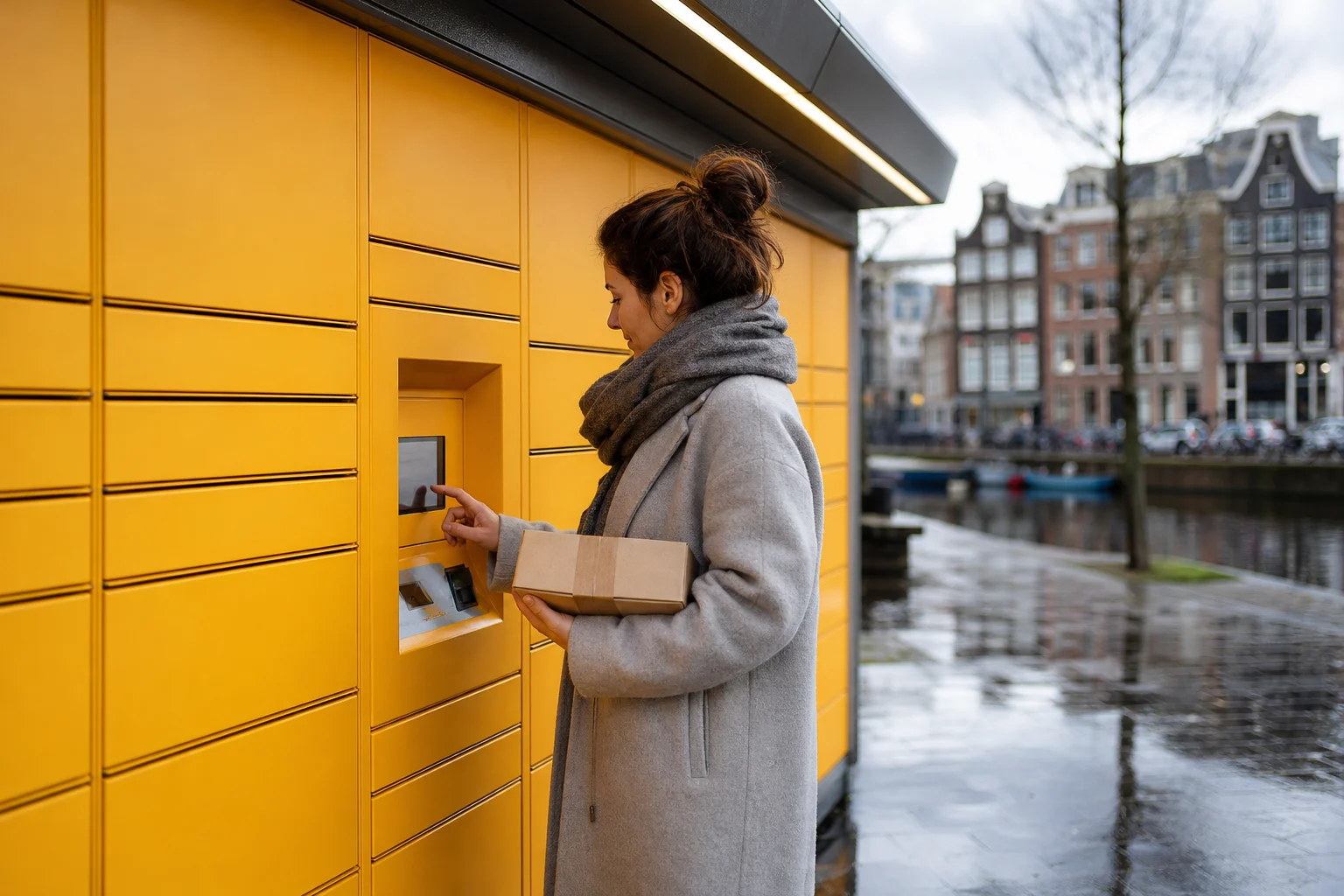
A Packstation is a self-service automated locker station operated by DHL. Distributed across thousands of locations in Germany—frequently situated outside supermarkets, petrol stations, train stations, and post offices—they allow customers to retrieve and deposit packages at any time of day.
There are two primary types of Packstations across Germany:
Using a Packstation is completely free of charge for the recipient. You only pay standard shipping fees when you send or return a parcel yourself.
While standard letter delivery requires no setup beyond putting your name on your mailbox, receiving packages at a Packstation requires an official DHL customer account (Kundenkonto) and identity verification. Follow these steps to get registered:
Begin by downloading the official Post & DHL app onto your smartphone. The app is available on both iOS and Android. While registration is also possible through the DHL website, you will ultimately need the smartphone app on your device to generate pickup codes at screenless lockers.
Open the app, navigate to the profile section, and choose to register a new personal account. You must provide:
Because automated lockers handle private property, German security regulations require users to verify their identity. DHL uses its proprietary PostIdent system. You can complete this verification in one of two ways:
Once your identity is confirmed, DHL issues you a Postnummer. This is a unique 6-to-10 digit personal customer number that connects incoming packages directly to your account.
For final security clearance, DHL will mail a physical letter containing an activation code (Aktivierungscode) to your registered home address. When this letter arrives, open your Post & DHL app, navigate to the Packstation section, and scan or type in the code. Your smartphone is now permanently paired to your account.
The most common reason packages fail to reach a Packstation is an incorrect address format. Online checkout forms vary, but you must enter your details systematically to ensure automated sorting machines process your parcel correctly.
Here is the required standard format:
12345678). On some websites, there is a dedicated field labeled Postnummer.Packstation followed immediately by the station's 3-digit number (e.g., Packstation 142). Never write the physical street address where the machine is situated!Max Mustermann 12345678 (or: Postnummer 12345678) Packstation 142 10115 Berlin
Important Tip: Only orders shipped via DHL or Deutsche Post can be sent to a Packstation. If an online merchant ships with competing private carriers such as Hermes, DPD, UPS, or GLS, they cannot deliver inside a DHL locker. If in doubt, confirm which carrier the seller uses before entering a Packstation address.
When your parcel arrives at the locker, you receive a push notification in the app and an email update. You have 7 calendar days (Lagerfrist) to collect it before DHL automatically returns it to the sender.
To pick up your shipment:
You can also use Packstations to send pre-paid parcels or process commercial returns (Retouren):
Handling day-to-day mail and customer support requires familiarizing yourself with standard German shipping terminology. Here are terms you will encounter regularly:
Everyday interactions—such as explaining a lost package to a post office clerk or navigating administrative errands—require a practical command of conversational German. If you want to prepare for these situations, check out our guide on German for the doctor, the pharmacy, and the Bürgeramt.
To build your confidence before heading to the counter, you can practice real-life errand scenarios with Bretzi. Bretzi is an AI-powered German learning app that focuses on the German you actually need for life, work, and exams in Germany. With short lessons spanning A0 to C1, you can master everyday vocabulary, and with the Premium feature SprachBuddy, you can speak out loud to an AI conversation partner to simulate interactions like asking for a package or managing customer service inquiries.
During peak shopping periods, popular lockers can fill up quickly. If a driver arrives and finds no empty compartments of appropriate size, the system automatically redirects your parcel to the nearest available DHL branch (Filiale) or an alternative Packstation. Check your app's tracking details to see where your package has been diverted.
Packstations feature various compartment sizes, but there are strict physical limits. The maximum allowed dimensions for a Packstation shipment are 60 x 35 x 35 cm, and the maximum weight is 31.5 kg. Parcels exceeding these limits will automatically be redirected to a post office branch.
If you recently moved, ensure that the address on your German official registration (Meldebescheinigung) matches the address in your DHL profile exactly. If your ID does not list your current street address, bring your paper registration certificate when verifying in person at a branch.
Setting up a DHL Packstation takes less than ten minutes of active effort and saves hours of waiting for couriers or queuing at busy post office counters. By keeping your name clearly marked on your home mailbox, securing your personal Postnummer, and learning the right address formats, you can streamline your deliveries across Germany with ease.
As you navigate everyday German life, building your practical language skills makes every errand smoother. Whether you are learning package terminology or preparing for formal German exams, Bretzi offers structured CEFR lessons, spaced-repetition vocabulary reviews, and AI-driven conversational practice designed to help you communicate naturally in Germany.
Rules, fees and dates change. Check the current version on the official pages before you act.
Share this article:
It is one of the most chilling sounds an expat or resident in Germany can hear: the hollow clatter of a keychain dropping through a storm drain, or...
Read moreFinding an appointment with a specialist doctor (Facharzt) in Germany can feel like an intimidating bureaucratic puzzle. Whether you need to see a...
Read moreWhen winter blankets Germany in thick white snow, neighborhoods transform into postcard-perfect scenes. But for residents, fresh snowfall also...
Read more