Winter Tire Regulations in Germany: Legal Rules and Safety Guide
When autumn settles across Germany and temperatures plunge below freezing, life shifts outdoors. Morning frost glazes windshields, cobblestones...
Read more
This article was drafted by AI and edited by a person before it was published.
AI can get things wrong. For anything official, check the source it points to.
AI-generated image
Arriving in Germany and moving into an unfurnished flat (Wohnung) is an exciting milestone, but it often comes with a classic shock for newcomers: your new home does not come with working internet out of the box. Unlike in some countries where broadband is switched on remotely within minutes, establishing home internet in Germany frequently requires weeks of lead time, technical coordination, and navigating contracts packed with industry jargon.
Whether you need a rock-solid connection for remote work or you simply want to stream your favourite shows in the evening, understanding the German telecommunications market is essential. In this comprehensive guide, we cover the main connection types, evaluate the leading providers, walk through the step-by-step installation process, and provide the exact German vocabulary you need to communicate with technicians and customer service.
Before you sign a contract, you must determine what physical connection enters your building. In Germany, home broadband is generally delivered via one of four technologies:
DSL remains the most widely available fixed-line internet technology across Germany. It delivers internet over traditional copper telephone lines using a distinctive wall socket called a TAE-Dose (Telekommunikations-Anschluss-Einheit), recognizable by its three vertical rectangular slots (often marked N-F-N).
Cable broadband runs over television coaxial cables rather than telephone lines. In your flat, this connects to a circular three- or four-hole multimedia socket (Multimediadose).
Fiber to the Home (FTTH) brings glass optical fiber straight into your apartment, terminating in an optical network terminal (ONT). While Germany has historically trailed behind other European nations in fiber rollout, widespread network expansion has steadily increased FTTH access in modern developments and retrofitted districts.
If your apartment has outdated wiring or you need a bridge solution while waiting for a technician, an LTE or 5G home router (such as the Vodafone GigaCube or O2 HomeSpot) connects to the mobile data network via a SIM card. You simply plug the device into a regular power socket.
A basic home internet service in Germany typically delivers unlimited fixed-line broadband at download speeds between 16 Mbps and 50 Mbps over DSL or entry-level cable, paired with an included landline telephone number. For a single occupant or a couple who primarily browses the web, attends occasional video calls, and streams television in HD, an entry-level tier (often marketed by providers as DSL 16 or DSL 50) provides more than enough bandwidth without paying for high-tier gigabit plans.
When selecting a basic home internet service, you will generally receive:
Four major national infrastructure providers dominate the German market, alongside respected regional municipal providers (Stadtwerke):
German telecommunications contracts operate under strict legal frameworks. Keep these fundamental rules in mind when shopping around:
Most German broadband packages carry an initial minimum term of 24 months (Mindestvertragslaufzeit). Providers frequently market attractive promotional discounts for the first 6 to 12 months, after which monthly fees increase to their standard rates. Always calculate the total cost over the full two-year period rather than judging an offer solely by its introductory rate.
Under German consumer protection regulations, once your initial 24-month term finishes, your contract automatically rolls over on a monthly rolling basis rather than locking you in for another full year. Understanding your contractual obligations is critical across all German administrative life; for instance, you will encounter similar rules regarding understanding German contract notice periods (Kündigungsfrist) when managing your tenancy agreements.
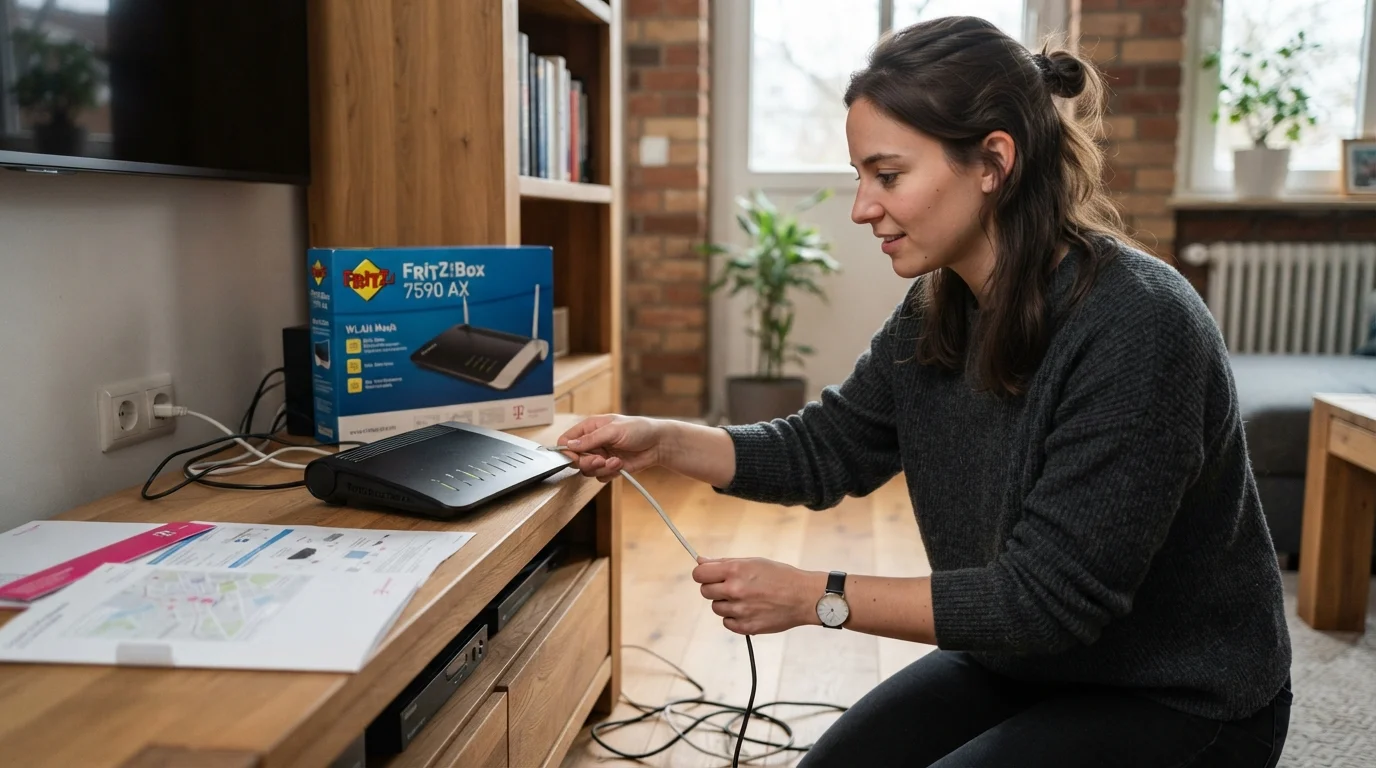
During the signup process, your provider will offer to lease you a Wi-Fi router (typically a proprietary box or an AVM FRITZ!Box) for €3 to €7 per month. Under German law (Routerfreiheit), you have the legal right to purchase and use your own compatible router instead of renting. Buying a used or new FRITZ!Box outright often pays for itself within 12 to 18 months and gives you greater control over your local network configuration.
Setting up your internet smoothly requires careful planning. Follow this timeline to minimize the days you spend without Wi-Fi:
Head to comparison portals or directly to provider websites to run an address check (Verfügbarkeitsprüfung). You must enter your exact street, house number, and postal code to view the maximum speeds technically possible at your building.
Before completing an order, ensure you have your German bank details (IBAN) ready for monthly direct debits (SEPA-Lastschrift). While you do not always need official registration papers right away, securing an internet connection usually happens right alongside registering your address after a Bürgeramt appointment during your initial relocation window.
When ordering DSL, the provider must identify precisely which copper pair in the basement belongs to your flat. When placing your order, you will often see an optional field asking for the previous tenant's name (Name des Vormieters) or their old landline number. Always ask your landlord or outgoing tenant for this detail—providing it can eliminate the need for an on-site technician visit entirely, enabling remote line activation.
If remote switching is not possible, the provider will assign an activation window—frequently a four-hour block on a weekday (e.g., between 08:00 and 12:00). You or a designated representative must be present in the flat.
Crucial requirement: The technician does not just inspect your flat's wall socket; they almost always require physical access to the main telephone distribution box (Hausanschlussraum or APL - Abschlusspunkt Linientechnik), which is usually locked in the building's basement. Contact your building manager (Hausverwaltung) or caretaker (Hausmeister) days before the appointment to ensure you have the basement key.
Once the line is active, connect your router to the TAE or multimedia wall socket using the cable supplied in the box. Navigate to the router's web interface (such as http://fritz.box) in your browser. Enter the activation credentials (Zugangsdaten) sent by your provider via post or email, and the device will sync with the central exchange.
A reliable wifi setup in a Germany apartment requires positioning your hardware thoughtfully to overcome thick masonry walls, configuring dual-band frequencies, and securing the local network using the credentials printed on your hardware sticker. Because German apartments (especially pre-war Altbau buildings or modern reinforced concrete constructions) feature dense interior walls, wireless signals degrade significantly faster than in timber-frame properties.
Follow these practical measures to optimize wireless coverage across your rental flat:
Navigating web interfaces, reading confirmation letters, and speaking to customer support is significantly easier when you recognize common telecommunications terms:
If you feel nervous about communicating with customer support over the phone, building confidence through targeted practice makes a big difference. In the Bretzi app, you can use SprachBuddy, an AI conversation partner, to practise out loud how to describe technical difficulties or confirm technician appointments before making the actual call. You can also save unfamiliar technical vocabulary directly into your custom review lists in Bretzi's Words tab to master everyday German terms through spaced-repetition flashcards.
What happens if your internet speed fails to match what was promised, or your connection drops repeatedly?
Germany's federal network regulator, the Bundesnetzagentur, provides consumers with legal protections against underperforming internet. If your provider consistently delivers significantly lower download or upload speeds than contracted, you are legally entitled to reduce your monthly payment or terminate the contract early.
To enforce this right, you must document the shortfall using the regulator's official desktop application (Breitbandmessung), which requires conducting a structured series of measurements over several days connected directly via an Ethernet cable.
If you relocate within Germany, you are generally required to take your existing broadband contract with you to your new address. However, if your existing provider cannot provide service at your new address—or cannot offer the same contractual bandwidth—you gain a legal right of special termination (Sonderkündigungsrecht) with a one-month notice period.
Setting up your internet connection in Germany requires patience and method, but by preparing ahead, you can avoid prolonged offline periods:
Mastering everyday administrative tasks is one of the most rewarding steps toward feeling completely at home in Germany. With your high-speed internet running smoothly, you have the digital foundation you need to work, stream, and continue advancing your German language skills every day.
Rules, fees and dates change. Check the current version on the official pages before you act.
Share this article:
When autumn settles across Germany and temperatures plunge below freezing, life shifts outdoors. Morning frost glazes windshields, cobblestones...
Read moreFinding an apartment in Germany is notoriously competitive, but navigating your exit from one can feel just as daunting. Whether you are relocating...
Read moreArriving in Germany with a suitcase full of belongings and an ongoing medical condition can quickly feel overwhelming. Whether you take daily thyroid...
Read more